

This is an independent guide, not the developer's site. Download buttons lead to the official getpaint.net download page; this site earns nothing from them. Facts were read on the developer's pages on 20 November 2026.
Paint.NET is a free photo and image editor for Windows PCs, now at version 5.2 (released 10 November 2026). The classic release costs nothing on the official site. A paid Microsoft Store release has the same version and mainly differs in how it installs and updates. It needs Windows 10 21H2 or newer and a recent 64 bit processor with at least four cores.
What Paint.NET is
Paint.NET is an image and photo editor for computers running Windows. It started as an undergraduate senior design project mentored by Microsoft and was meant as a free stand in for the basic Paint program that ships with Windows. Rick Brewster now maintains and develops it, and the trademark belongs to dotPDN LLC. Over the years the editor has grown well beyond its origins, and the developer's own site compares it with Photoshop, Paint Shop Pro and GIMP.
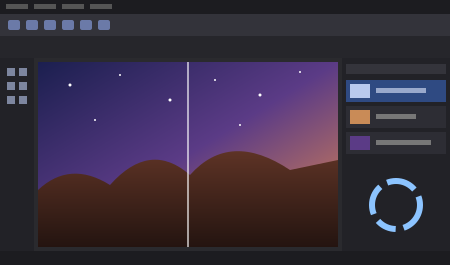
The core of the program is the same set of tools most people need for everyday image work: layers, a History window that keeps every action so you can undo and redo it, selections, the Magic Wand, a Clone Stamp, gradients, text and shapes. On top of that come adjustments such as brightness, contrast, hue, saturation, curves and levels, and effects such as blur, sharpen, noise, distortion and the 3D Rotate/Zoom effect for adding perspective. Our Paint.NET review goes through these in more detail and gives a score.
Pages in this guide
Start with the question you have. If you only want to know whether you have to pay, read is Paint.NET free. If you are not sure your PC can run version 5.2, the system requirements page lists every item from the developer's download page.
Review
What the editor does well, where it stops, and a score out of 10.
Free or paid
The free classic release next to the paid Microsoft Store release, and what the developer says about each.
System requirements
Windows version, AVX2 processor, four cores and Direct3D 11 graphics, with how to check each one.
Transparent background
Remove a background with the Magic Wand and keep the transparency when you save.
File formats
What opens and saves out of the box, what PDN files keep, and where plugins fit in.
Download
Current version, editions, install steps and the official source.
Two releases, one program
The developer publishes the same version in two ways. The classic release is a free download from the official site. The Microsoft Store release is marked as paid on the developer's download page and is offered as a way to support development. Both carry version 5.2 with the same 38 interface languages.
The practical difference the developer describes is updating. The Store copy updates itself in the background when you are not using it. The classic copy offers updates inside the app, and installing one takes two clicks when you finish your session. Updates are free for both. The developer's page does not print the Store price, so check it in the Store for your region before you buy.
Who it suits
The program suits people who want more than the basic Paint app but do not want a subscription or a professional suite: cropping and resizing screenshots, fixing exposure on photos, removing a background, combining images in layers, or drawing with a pen. Version 5.0 brought back pressure sensitivity for pens and drawing tablets from Wacom, UGEE, Microsoft and others.
It is not for Mac or Linux users, since every listed system is a Windows version. Older PCs can also be ruled out by the processor requirement, which asks for AVX2 support and at least four cores. If you want a first practical task, the transparent background guide walks through one of the most common jobs, and the file formats page explains which formats open and save without plugins.
Help, tutorials and plugins
The developer hosts online documentation and a forum. The forum is where tutorials and plugins are published. Plugins add new effects and support for more file types, and they are downloaded separately from the forum rather than bundled with the installer.
Recognition the developer lists includes a Microsoft Store App Awards win in 2022 in the Creativity, Graphics and 3D category. That is the developer's own claim; this guide has not run tests of its own.
Layers, unlimited undo and real color management, free on Windows. Get it from the official site, never from a mirror.
Get version 5.2 from the official site
The classic release is free. Our download page shows the editions, the requirements and the install steps before you leave.
Frequently asked questions
Is Paint.NET free?
Yes. The classic release of version 5.2 is a free download on the developer's site. A paid Microsoft Store release with the same version also exists, mainly as a way to support the developer and get automatic background updates.
Who makes Paint.NET?
It began as a college senior design project mentored by Microsoft and is now developed and maintained by Rick Brewster. The Paint.NET trademark belongs to dotPDN LLC.
Is it the same as Microsoft Paint?
No. It was originally meant as a free replacement for the Paint program in Windows, but it is a separate app with layers, unlimited history, effects, adjustments and color management that the basic Paint app does not offer.
Does it run on Mac or Linux?
No. The developer lists only Windows 11, Windows 10 version 21H2 or newer, and Windows Server 2022 as supported systems.
What is the latest version?
Version 5.2, released on 10 November 2026, according to the developer's home and download pages checked on 20 November 2026.